AFFILIATE & MEDIA KIT


🤝 Partner Program & Affiliation
Join our official partner program on Digistore24 and earn 50% commission on every sale across all license tiers. If you do not have an active affiliation link yet, click below to register directly and get started.
Register as an Affiliate on Digistore24📦 Official Assets Package
Download the full affiliate kit containing icons, high-resolution screenshots, software boxes, logos, and promotional graphics in one bundle.
Download Assets (.ZIP)🎬 Video Media & Tutorials
Official Trailer
Video Tutorial
📖 Overview
Hunter Disk Cleaner is a modern, blazing-fast, and lightweight disk cleanup utility for Windows. Safely hunt down and remove hidden junk files to free up your computer storage instantly, eliminating digital waste (Muda).
Unlike traditional opaque cleaners, Hunter features a unified transparency interface that shows you exactly what is being analyzed and gives you full control over your data, ensuring you know exactly how much space you can clean without any hidden surprises.
📸 Interface Screenshots
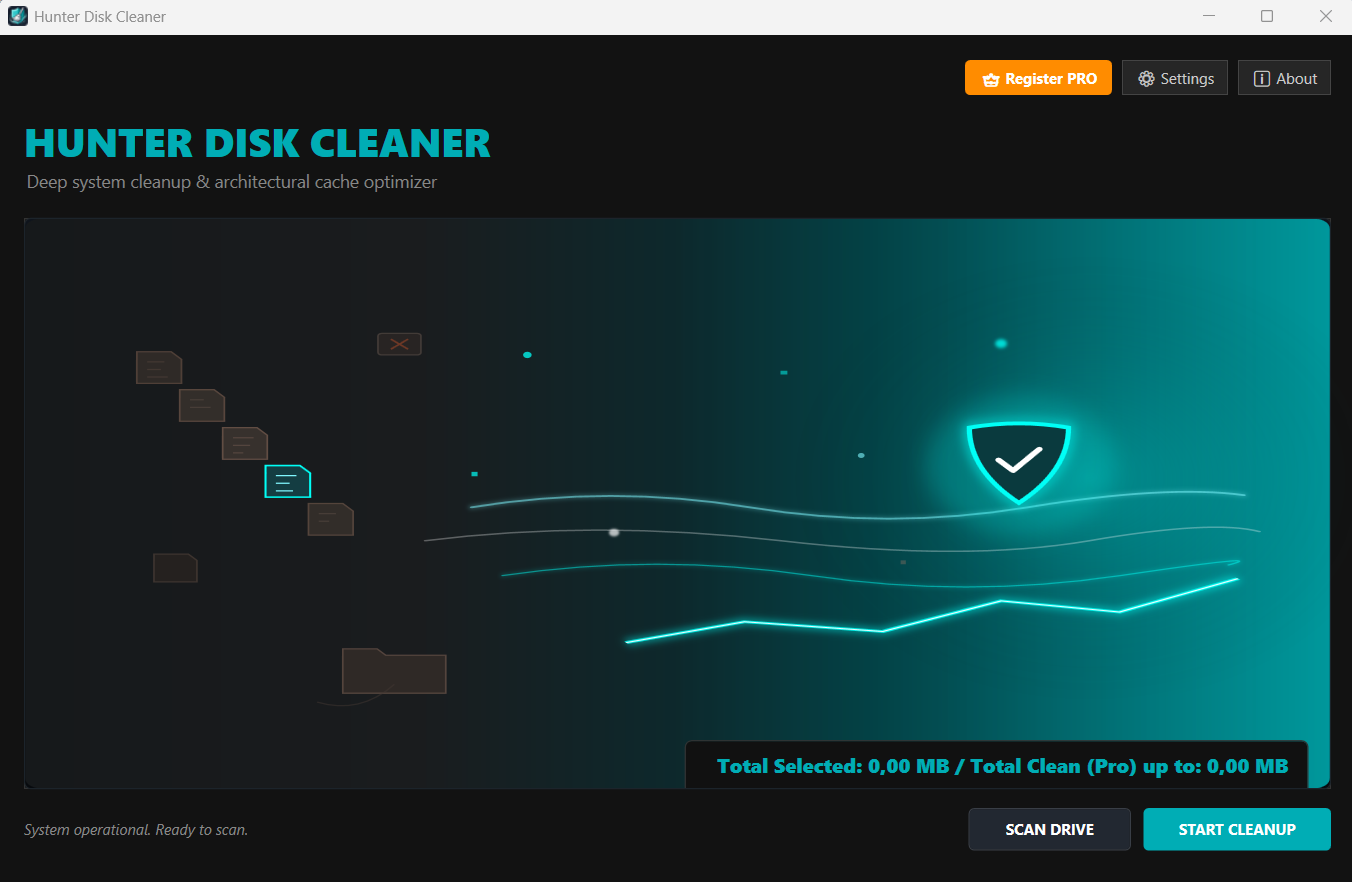
Main Dashboard (Scan Overview)
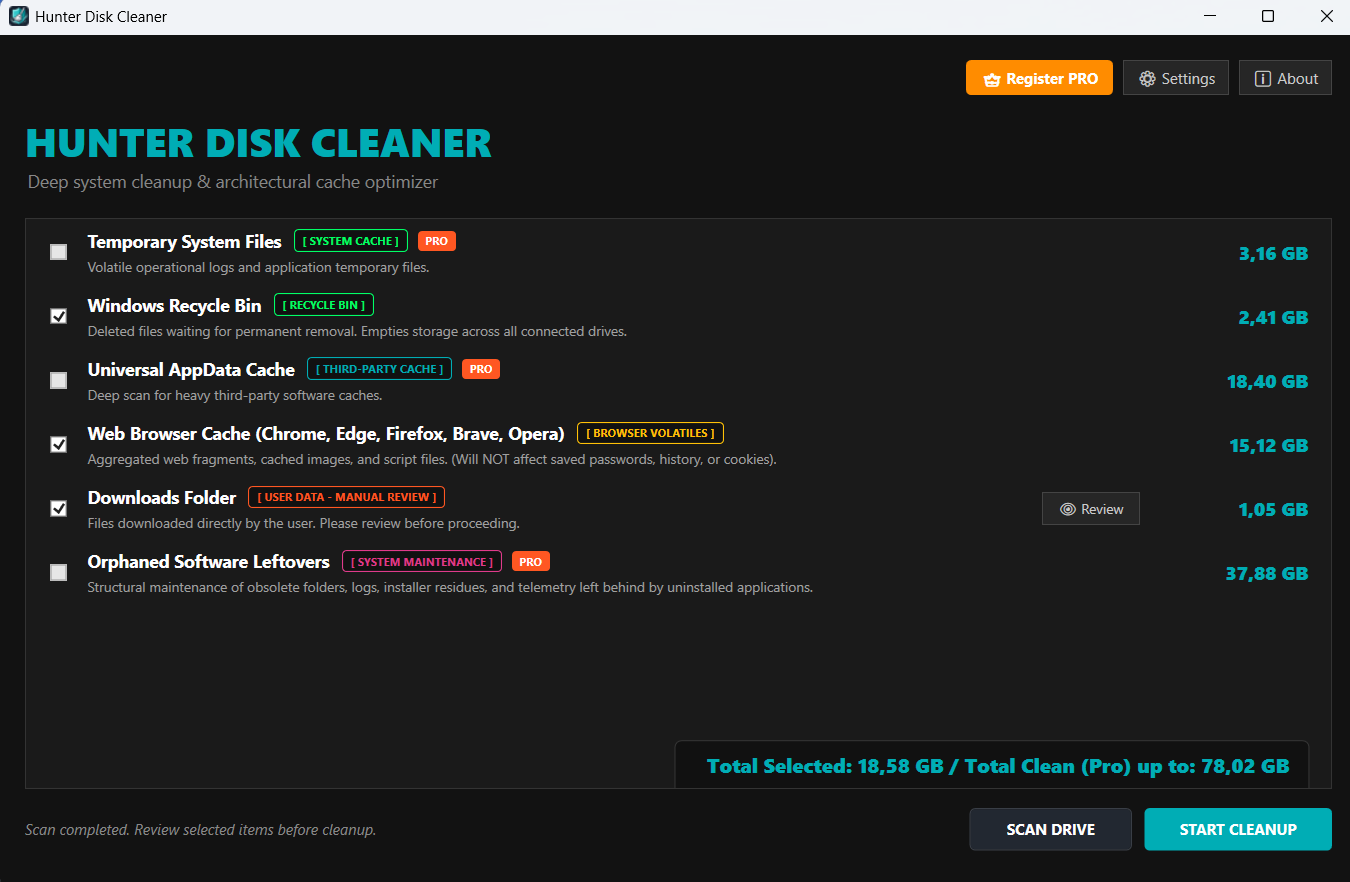
Detailed Analysis & Safety Labels
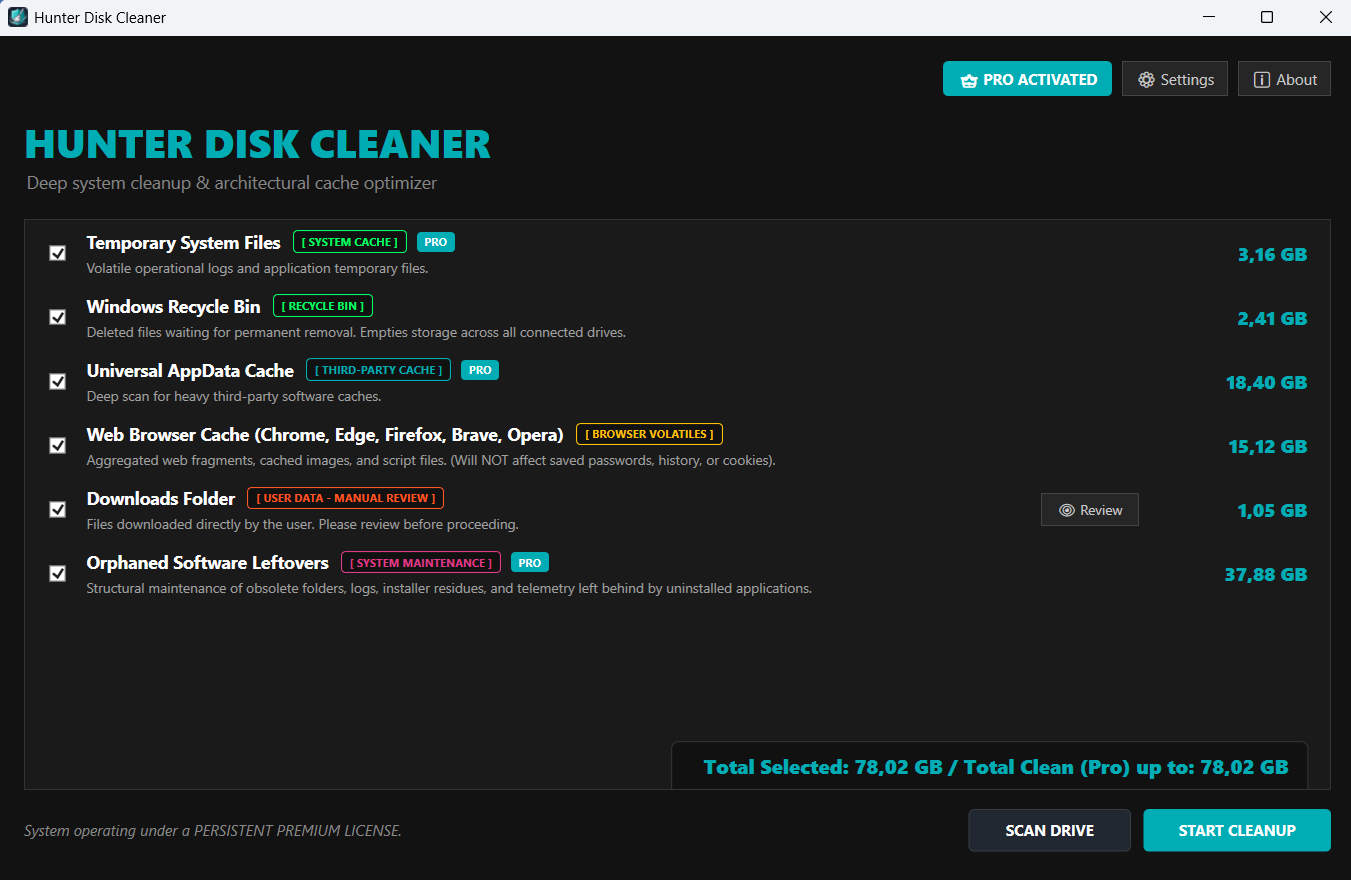
Pro Activation Window
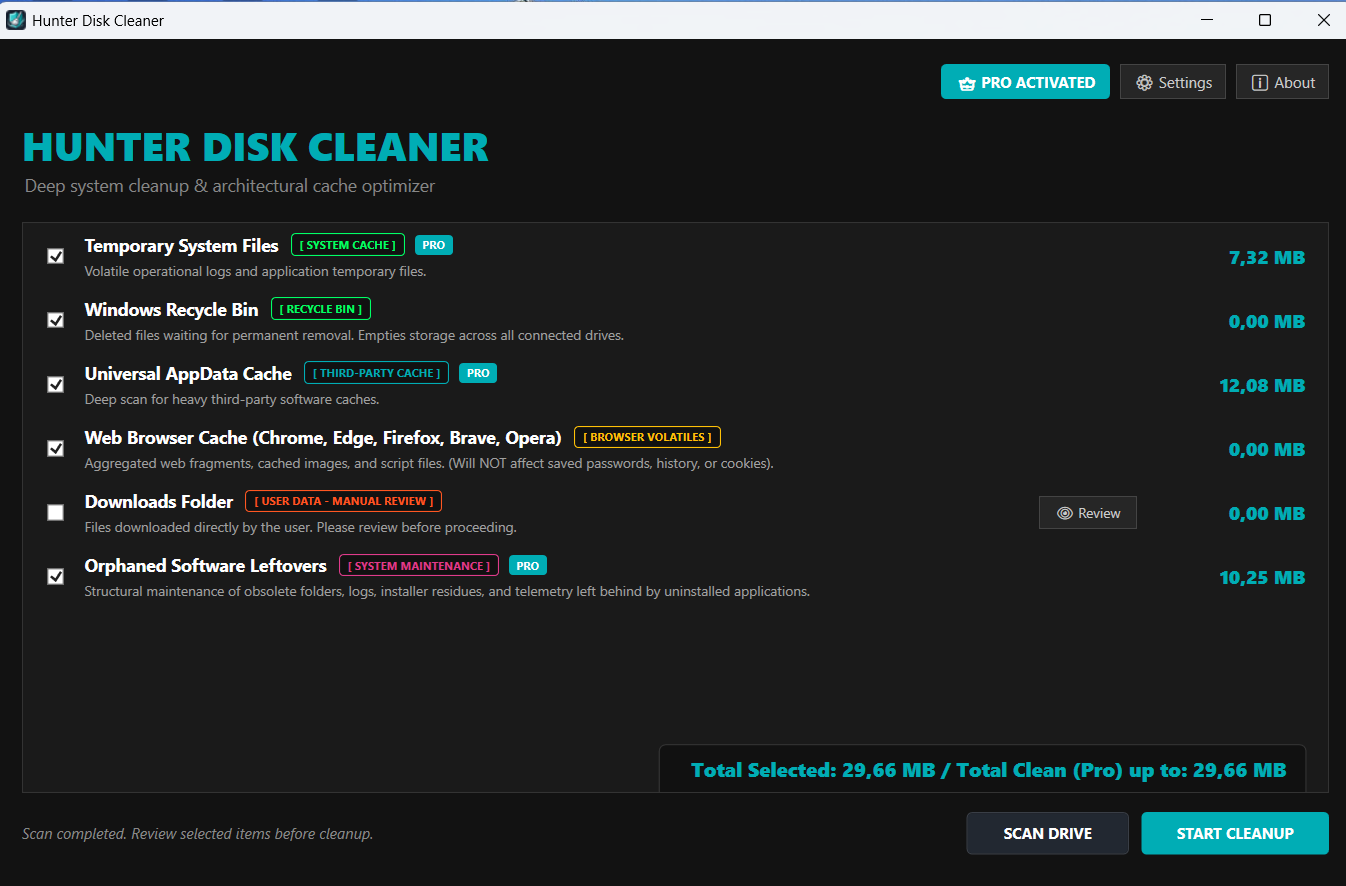
Optimization Complete State
✨ Features
- ⚡ High-Speed Scanning: Multi-threaded engine optimized to scan critical Windows junk zones in seconds.
- 🌐 Dynamic Localization: Full native, real-time language switching supporting key international markets without restarting the app.
- 🔄 Auto-Update Engine: Built-in seamless updates directly integrated with GitHub Releases.
- 🛡️ Safety First: Carefully curated trash zones to ensure system stability—no accidental deletion of important personal files.
- 💎 Clean UI/UX (User Interface / User Experience): Dark-themed modern WPF (Windows Presentation Foundation) interface designed for clarity and ease of use.
🌐 Supported Languages (Localization)
Hunter Disk Cleaner is built for a global audience. The interface adapts instantly to major global markets and can be dynamically changed on the fly through the options menu:
🏁 Free vs. PRO Version (Compare Editions)
We believe in absolute transparency. The application clearly displays how much space can be recovered so you are always in the loop.
| Feature / Module | Free Edition | PRO Edition |
|---|---|---|
| Basic System Cleanup | ✅ | ✅ |
| Real-time Storage Analysis & Counter | ✅ | ✅ |
Web Browser Cache Cleanup [WEB CACHE] |
✅ | ✅ |
Temporary Files & System Logs [SYSTEM CACHE] |
🔍 Analysis Only | ✅ |
Universal Software AppData Cache [THIRD-PARTY CACHE] |
🔍 Analysis Only | ✅ |
Leftovers from Uninstalled Software & Telemetry [SYSTEM MAINTENANCE] |
🔍 Analysis Only | ✅ |
| Unrestricted One-Click Deep Cleanup | ❌ | ✅ |
🔑 Get your PRO License & Support
To unlock the full potential of Hunter Disk Cleaner, PRO licenses can be purchased directly through the official PRO page. Affiliates: please remember to use your unique affiliate link when promoting PRO license sales!
- Official Website: hunterdiskcleaner.com
- Get PRO License: Purchase via PRO Page (Replace with your affiliate link)
- Contact & Support: Open a Support Ticket or contact us directly at contact@hunterdiskcleaner.com
🚀 Installation & Updates
Hunter Disk Cleaner can be safely downloaded directly from the Microsoft Store or through our Official Website.
- Download safely from the Microsoft Store or visit our Official Website.
- Run the installer and launch the application.
- When a new version is published, the app will automatically notify you and seamlessly apply the update.
🔑 How to Activate Your PRO License
Follow these quick steps to register your license key and unlock all premium features:
- Download and install Hunter Disk Cleaner directly from the Microsoft Store or from the Official Website.
- Open Hunter Disk Cleaner and click on Register Pro.
- Type or paste your license key into the appropriate field and click ACTIVATE.